
1
Check Your Cities
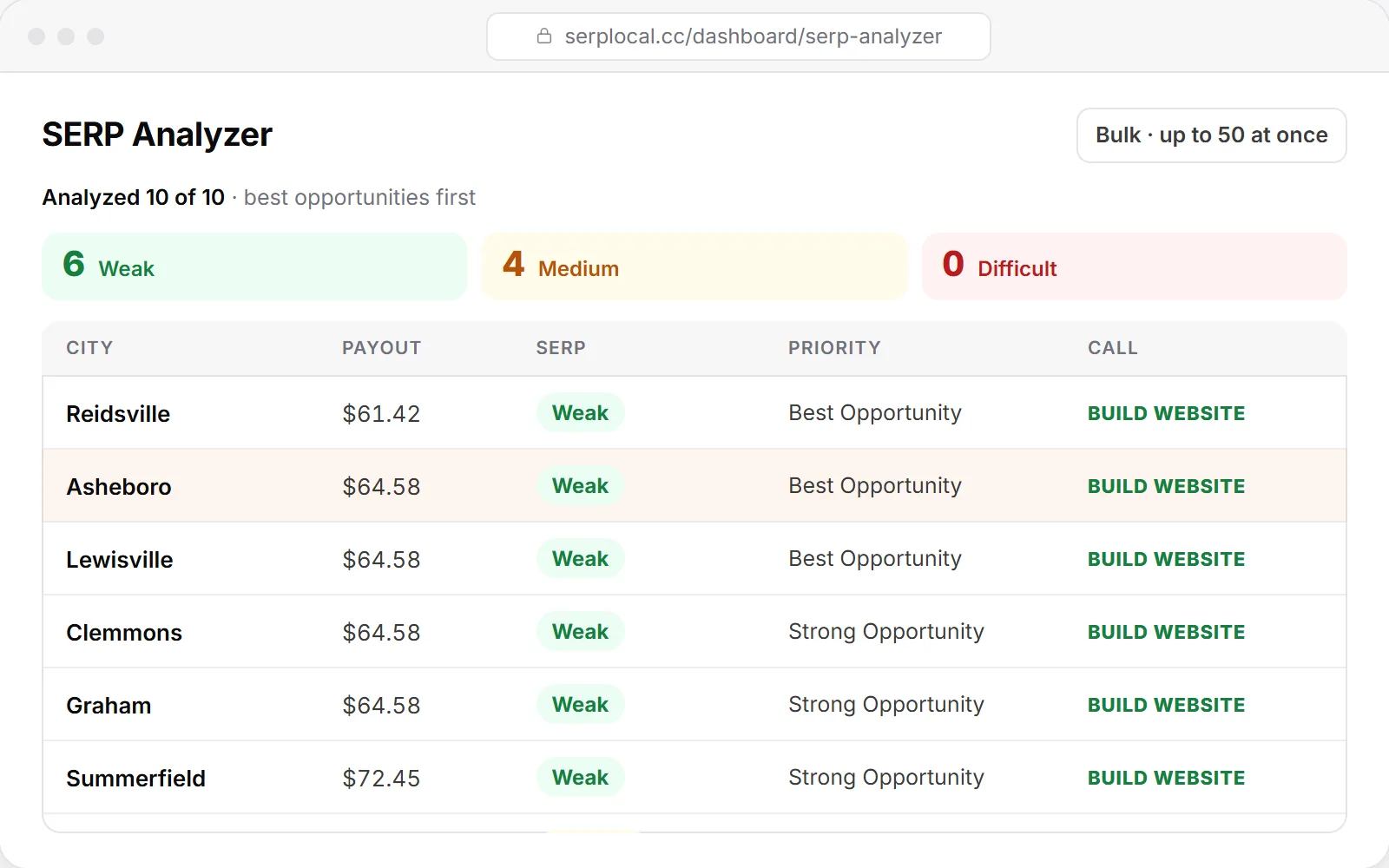
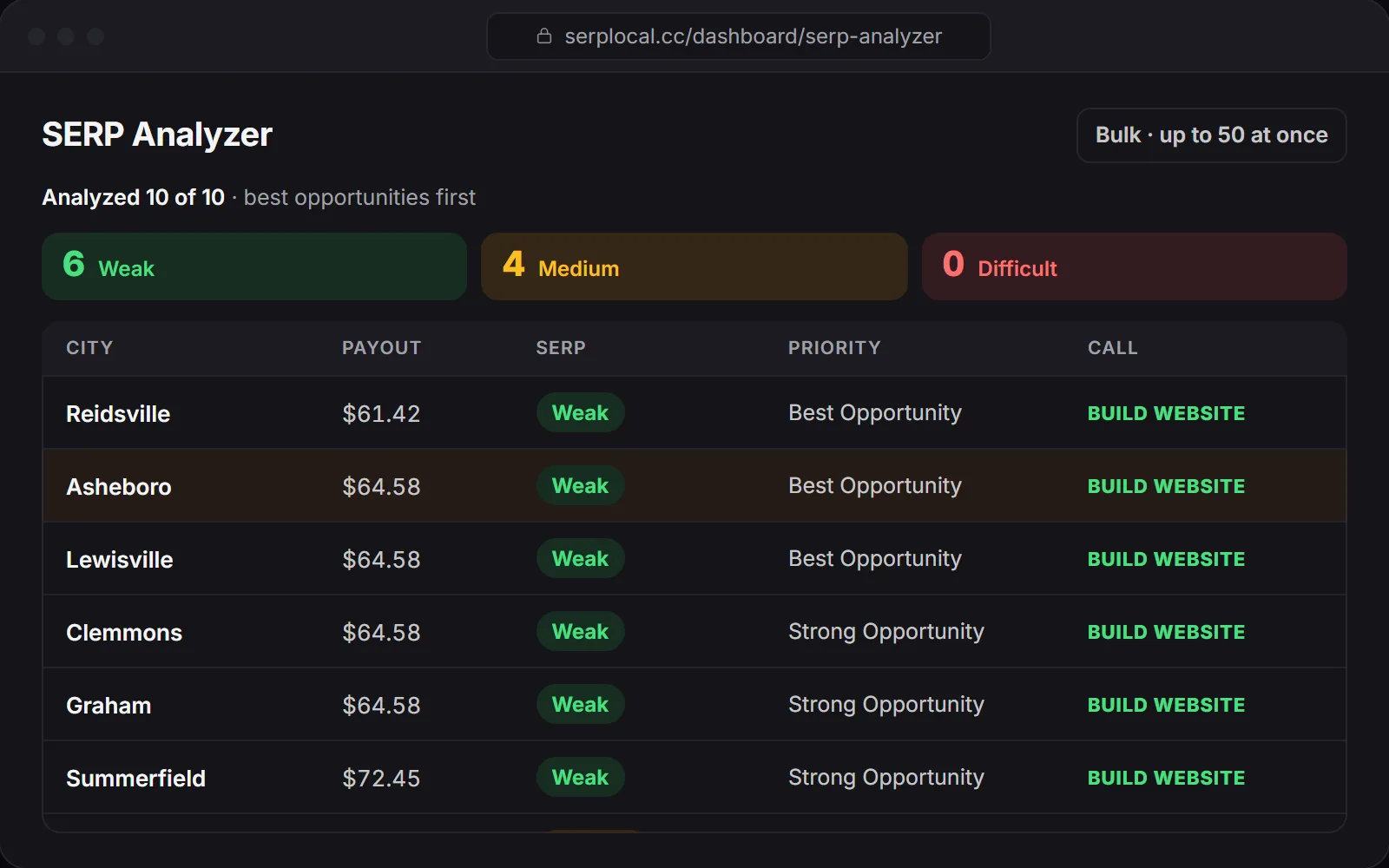
Run your searches in the SERP Analyzer, one at a time or up to 50 at once.
Put your checked cities side by side, see the reasons and the competitors that matter, and keep everything you saved in one place.
5 free SERP checksNo card needed1¢ per check or less
Compare Markets in 3 Steps
Sample data · Payouts change over time
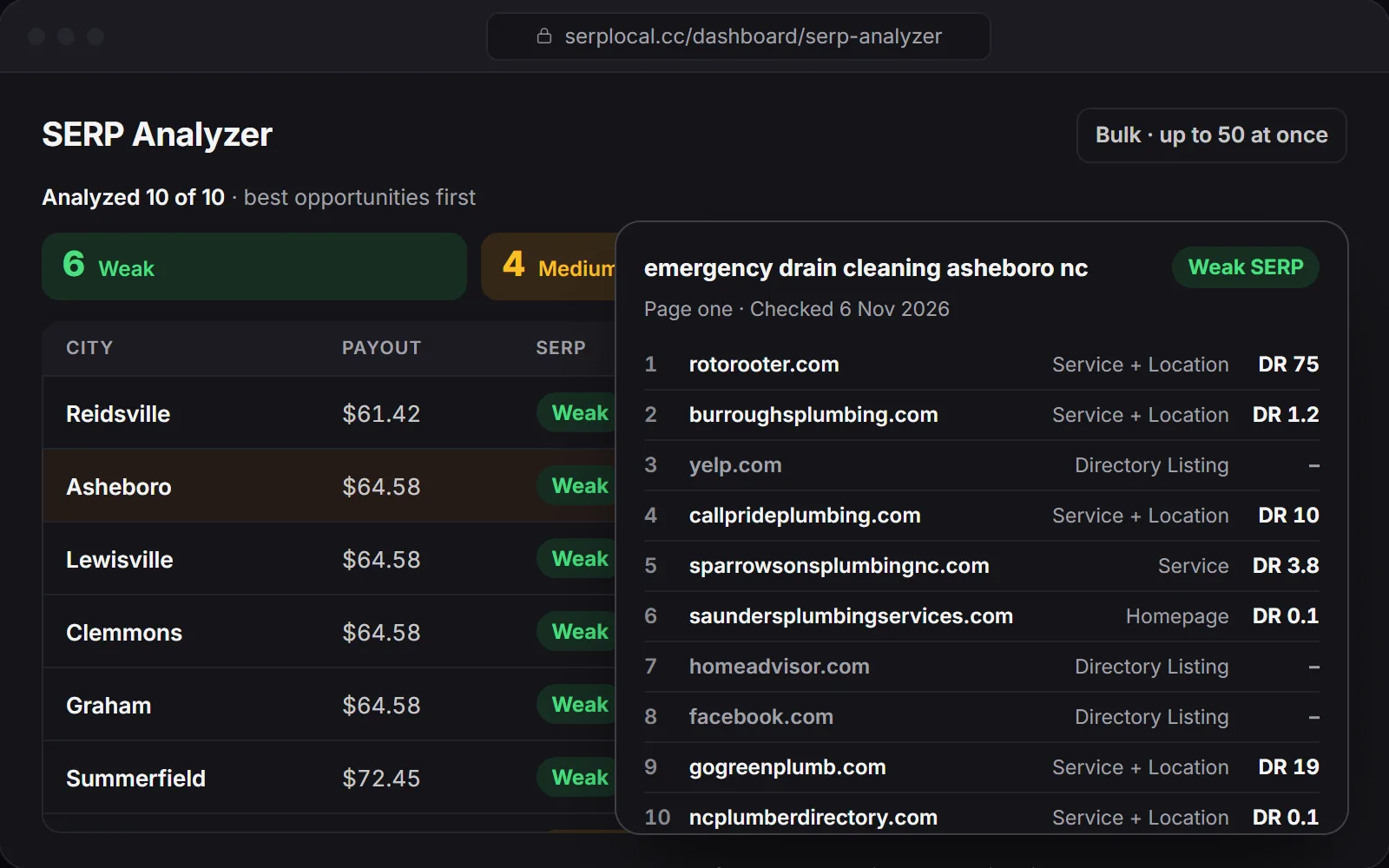
Run your searches in the SERP Analyzer, one at a time or up to 50 at once.
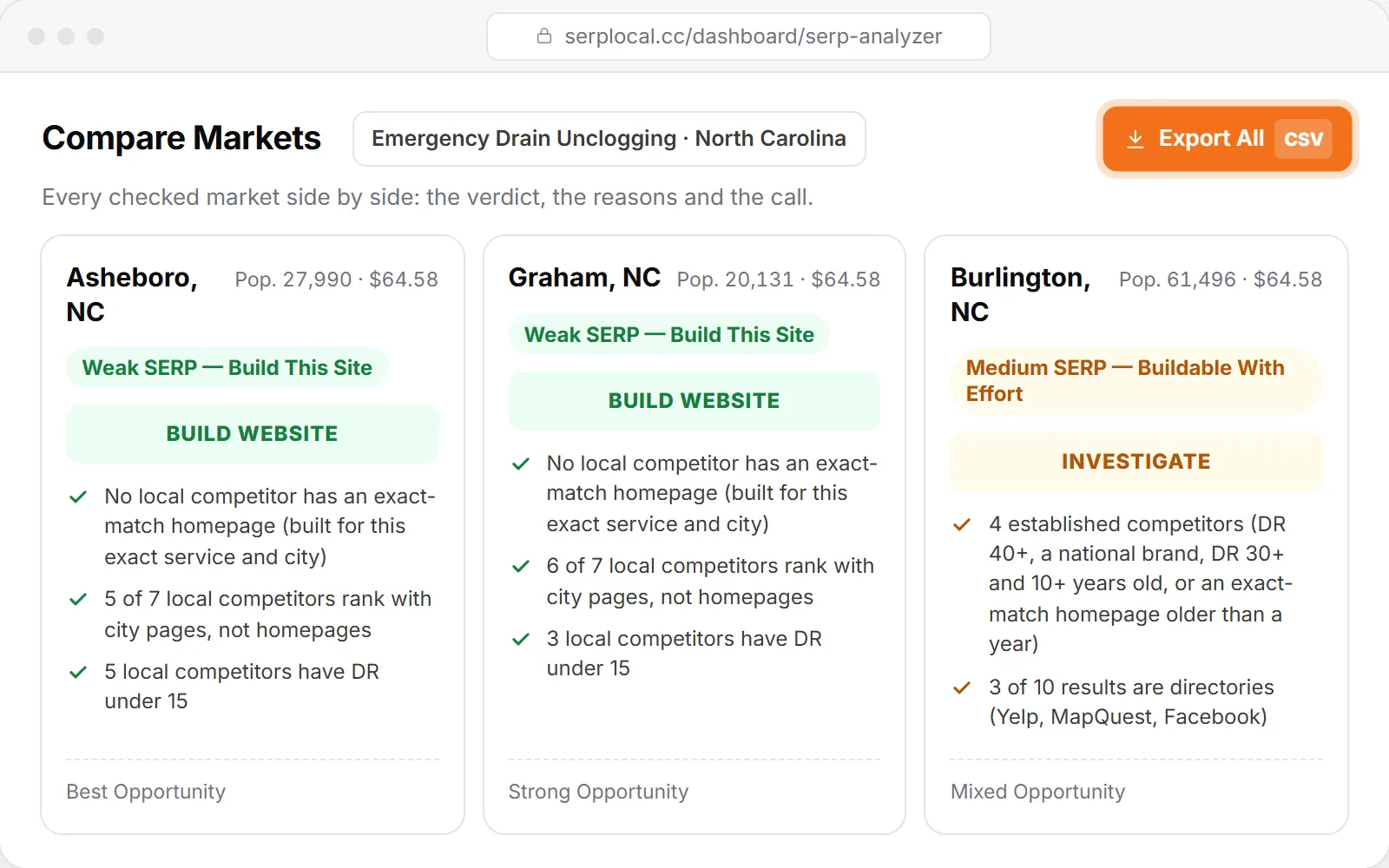
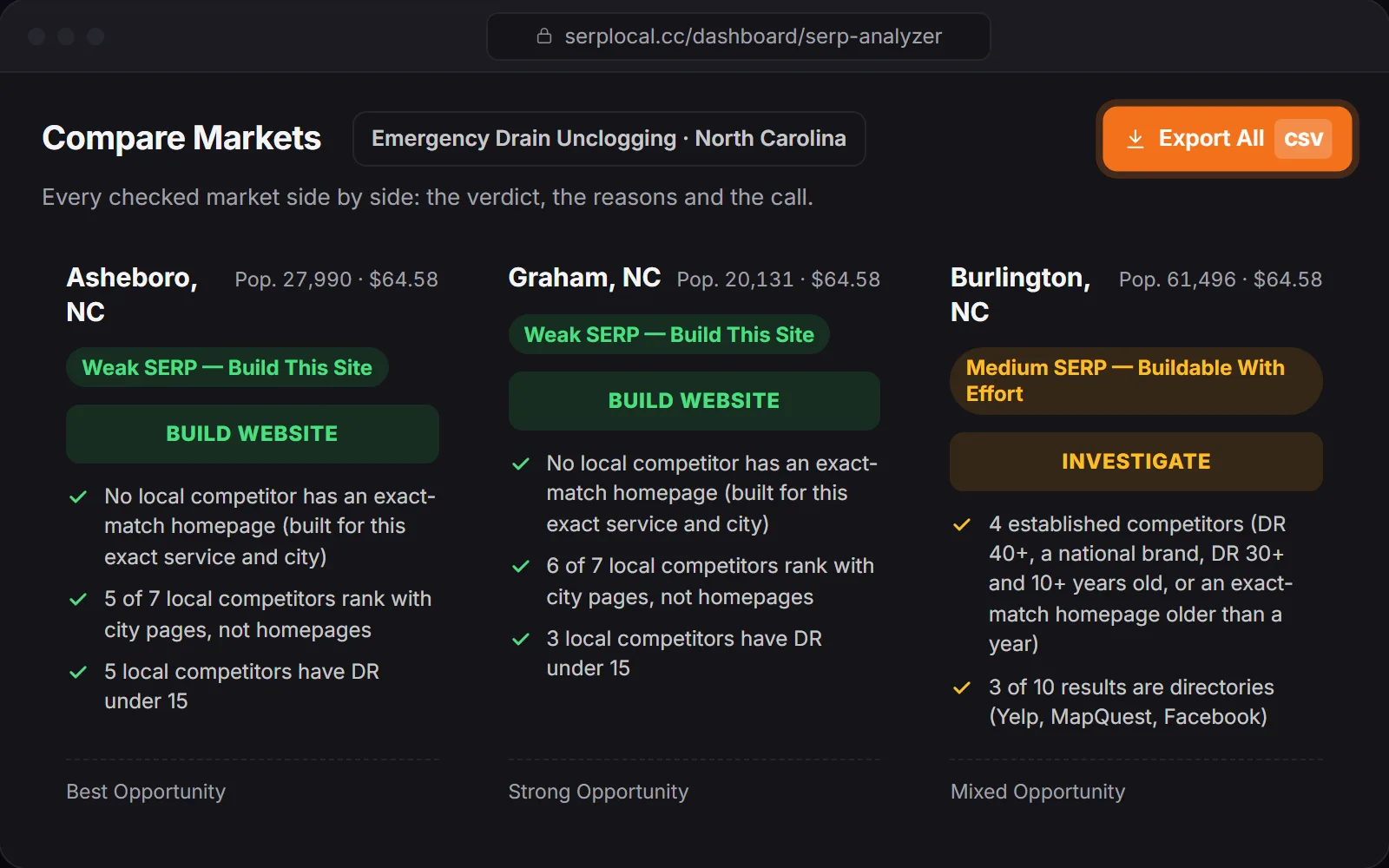
Every city's verdict, the reasons and a BUILD WEBSITE, INVESTIGATE or DO NOT BUILD call, side by side.
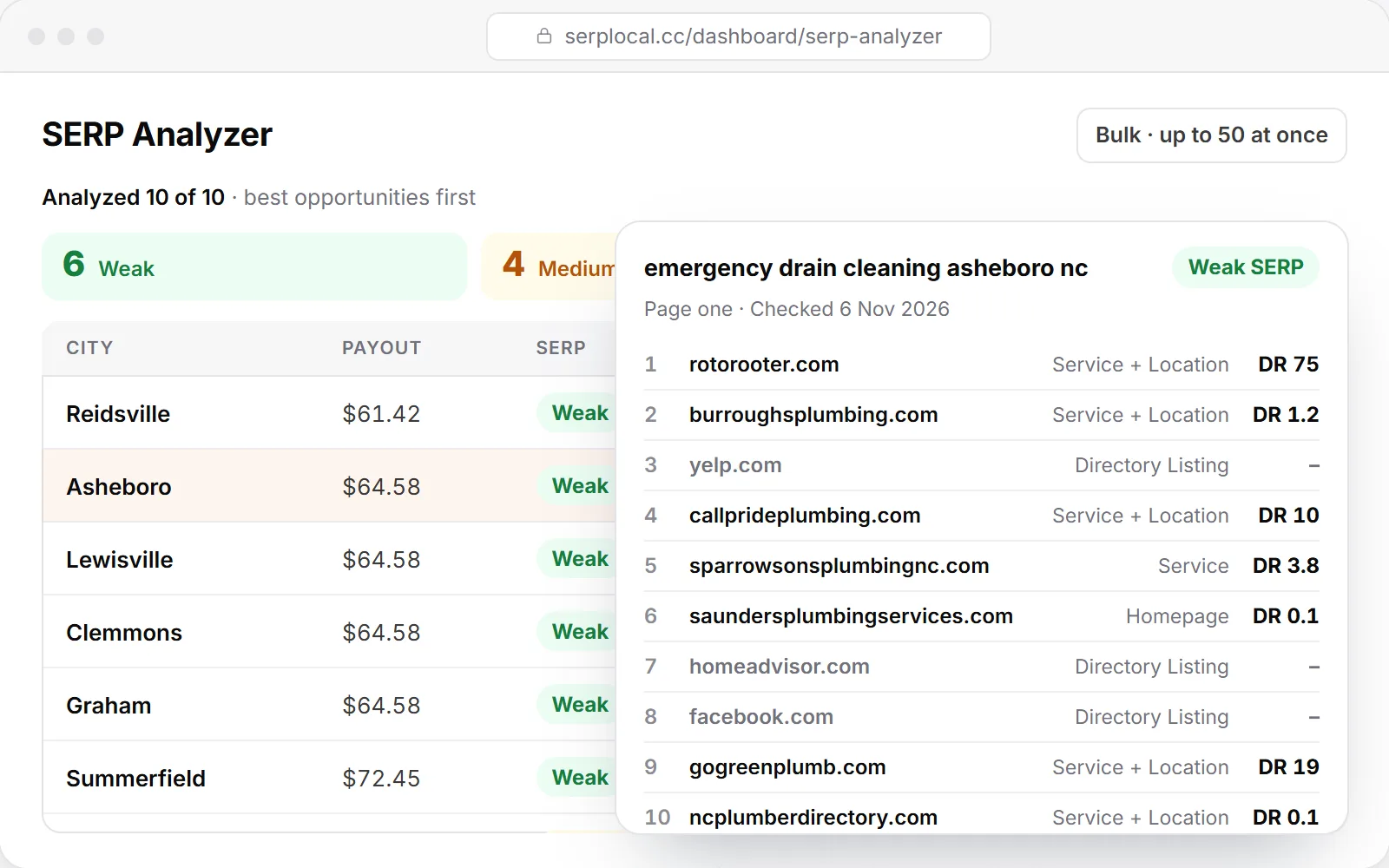
Save the winners to Competitor Analysis and export your build list to CSV.
From one real run: Asheboro and Graham came back BUILD WEBSITE, Burlington INVESTIGATE. That run had no DO NOT BUILD market.
Graham: no exact-match homepage, 6 of 7 local competitors on city pages. Burlington: 4 established competitors, 3 of 10 results directories.
Every saved niche and city, with who's ranking and the result, ready when you come back.
Choose between close calls with the reasons in front of you.
Show clients why one market beats another.
Keep a build list you can export and share.
BUILD WEBSITE: a Weak SERP, so a new site has room to rank. INVESTIGATE: a Medium SERP, buildable with effort. DO NOT BUILD: a Strong SERP, skip this market.
In Competitor Analysis: every saved niche and city, with who's ranking and the result.
Yes, from the Growth pack up. Export to CSV anytime.
No. Credits are used for live SERP checks; comparing and saving results is free.